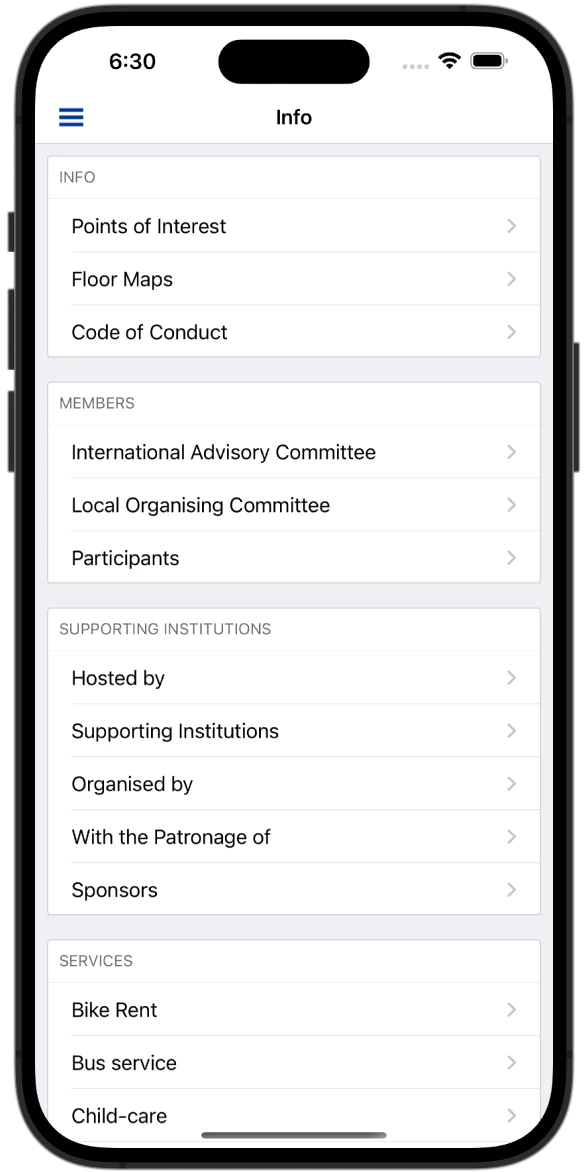
EasyChair's job ends when the programme is published. The smart program it publishes is enough to build the attendee app from — no export, no API key, no account. This is the whole path from that link to your attendees' phones, including the parts a link cannot carry.
EasyChair runs submissions, reviewing and the programme committee for thousands of computer
science, AI and engineering conferences, and then it stops. There is no attendee app, no
offline agenda, no personal schedule. What there is — for any conference whose chairs publish
it — is the smart program: a public website of the final programme at
https://easychair.org/smart-program/<your-conference>/.
That website is all HEPCon needs.
What a smart program actually contains
The smart program is not a single table. It is a small site with four kinds of page, and each carries something the app needs:
- The overview page, with every day of the programme inline.
- One page per day, with the sessions, their time intervals, chairs and rooms, and every talk with its time, authors, presenter and full abstract.
- One page per person, with their affiliation and, where the chairs entered one, a bio and a photo.
- One page per room, with its capacity and the sessions held in it.
HEPCon’s importer reads those pages the way a careful visitor would: one request at a time, never in parallel, with a two-second pause between pages and retries with back-off. A first import fetches each day, room and person page once; a routine re-sync is about six requests.
What you paste, and what happens in the next 30 seconds
Paste the smart-program link on the try-free page. About 30 seconds later you have a private preview of your own conference in the HEPCon app — real sessions, real papers, real rooms — with a join code you can hand to the programme committee so they can open it on their own phones. No account, no call, nothing to prepare.
Element by element, this is what crosses:
| In the smart program | In the app |
|---|---|
| Session (title, interval, chair, room) | A session on the timetable, with its chair listed as convener and its room on the card |
| Talk (time, authors, presenter, abstract) | A contribution inside its session, with the abstract, every author as a person, and the presenter marked |
| Keynote or session description | The session’s description |
| Person page (affiliation, bio, photo) | A profile with affiliation and bio; the photo only when it is a real one — EasyChair’s placeholder silhouette is not imported |
| Room page (capacity, sessions) | A location with its capacity, ready for the venue map |
Every session, paper, person and room keeps a stable identity derived from its EasyChair id, so a re-import updates the existing record in place. Favourites and reminders attendees set on a talk survive a schedule change; nothing is duplicated.
Times: the one thing you tell us
The smart program prints wall-clock times — “11:00” — and nothing about time zones. A preview is built in Central European time; you tell HEPCon the venue’s zone once, and each time is stored as the exact instant it represents in that zone, with daylight-saving rules applied for the actual dates. A phone set to another zone shows the right local time; an attendee flying in still sees the programme in venue time.
What the link does not carry
Three things, and each has a plain answer.
Email addresses. The smart program does not publish them, so people are matched by name, and nothing that depends on an email match happens on its own — a chair listed on the smart program is not automatically granted moderator rights in the app. Grants are a deliberate step in the organizer dashboard.
Papers and slides. The smart program carries abstracts, not files. Materials are added separately and attached to their contributions: the IFToMM Rotordynamics 2026 committee sent their accepted papers as PDFs, and every paper was readable inside the app, offline, on its talk’s page.
Anything not in EasyChair. Invited talks that were never submissions appear only if the chairs put them on the smart program. If they did not, they are added in the dashboard like any other session.
When the programme changes
Keep editing in EasyChair. When the smart program changes, HEPCon re-reads the same link, computes the difference, and applies only that: a moved talk, a new session, a changed room. Content you added in HEPCon — sponsors, venue maps, committees, announcements — is never touched by a re-sync. A room change on the morning of the session goes to installed phones as a push notification.
If you have no public smart program
Some conferences never publish one, or publish it late. A schedule export from EasyChair (CSV or Excel) works too: send it, and the preview is built within 48 hours instead of 30 seconds. Everything after that — re-sync on a new export, materials, push notifications — is the same.
A worked example
The 12th IFToMM International Conference on Rotor Dynamics ran in Lahti in June 2026 with 138 contributions from 118 speakers in 56 sessions, up to four in parallel. The whole programme was imported from the public smart program and re-imported as it moved; the committee reported no issues during the event, and attendees told staff the app helped them plan their days. The case study has the detail.
The timeline that works
- Programme scheduled in EasyChair — the smart program is published.
- Paste the link — preview in about 30 seconds; share the join code with the committee.
- Evaluate for as long as you need — free, with your live programme. The go-live decision is due one week before the conference.
- Go live — the preview becomes the event; attendees find it in the HEPCon app.
- Keep editing in EasyChair — re-sync carries every change until the last day.
What it costs
There is no per-attendee fee and no fee for the preview. A quote is fixed before the event from the programme’s complexity: €500–€900 for workshops and research days, €900–€2,500 for most conferences, and programmes under 50 contributions are free. Details on the pricing page.
Questions chairs ask
Does our smart program have to be public? Yes, for the 30-second path. A private programme is handled from an export, within 48 hours.
Do abstracts come across? Yes, when the smart program shows them, which is the default for the day pages. Search in the app reaches the abstract text, offline.
Will the import load our EasyChair pages heavily? No. It reads sequentially with a two-second pause between pages and a handful of requests per re-sync.
What about the time zone? You tell us once; a preview assumes Central European time until then. Every time in the programme is converted for the actual dates, daylight saving included.
Can we keep changing the programme after go-live? Yes. Change it in EasyChair; the app follows from the same link.
Paste your smart-program link → — a private preview in about 30 seconds, or read how the EasyChair conference app works in full.

Written by Dr. Martin Vassilev
Founder & Product Lead
Software engineer supporting scientific conferences with mobile agenda systems. Lead developer behind HEPCon.
Organizing a similar event?
Launch your EasyChair mobile app with HEPCon.
Get my event built freeNo credit card required • Works offline